Turn Google Drive Links into Native Folders
Stop struggling with web browser downloads. Instantly convert any shared Google Drive link into a direct, easily copyable Windows or Mac folder on your PC.
Requires Google Drive desktop application to be installed.
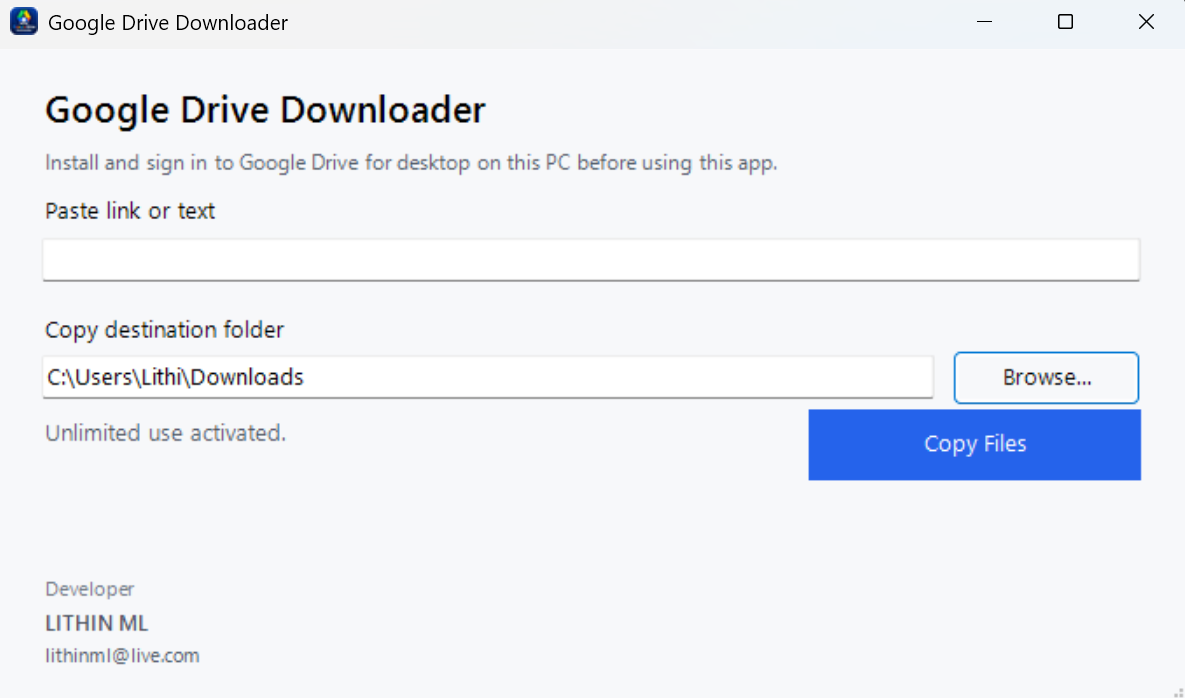
How It Works
Three simple steps to bridge the gap between cloud URLs and your local operating system file explorer.
Install Prerequisites
Ensure the official Google Drive desktop application is installed and running on your Windows or Mac machine.
Paste the Link
Open G-Drive Direct and paste the shared Google Drive folder URL you received from a client, friend, or colleague.
Copy & Manage
The software immediately opens a native Explorer/Finder window. You can now bulk copy, move, and manage files easily.
Ready to simplify your workflow?
Download the free version today (limited to 5 total folder downloads) or upgrade to premium.
Windows
Version: v1.4.2 | OS: Win 10/11 (64-bit)
macOS
Version: v1.4.2 | OS: macOS 11+ (Apple Silicon & Intel)